

STIX 2.1 - Product integrations
We also have a description of the STIX/TAXII 2.1 data structure available. This article is only about the integration in specific products.
OpenCTI
- open your openCTI UI
- navigate to Data -> Ingestion.
- select TaxiiFeeds (right side)
- click on the +-button at the bottom of the page to add a New connection.
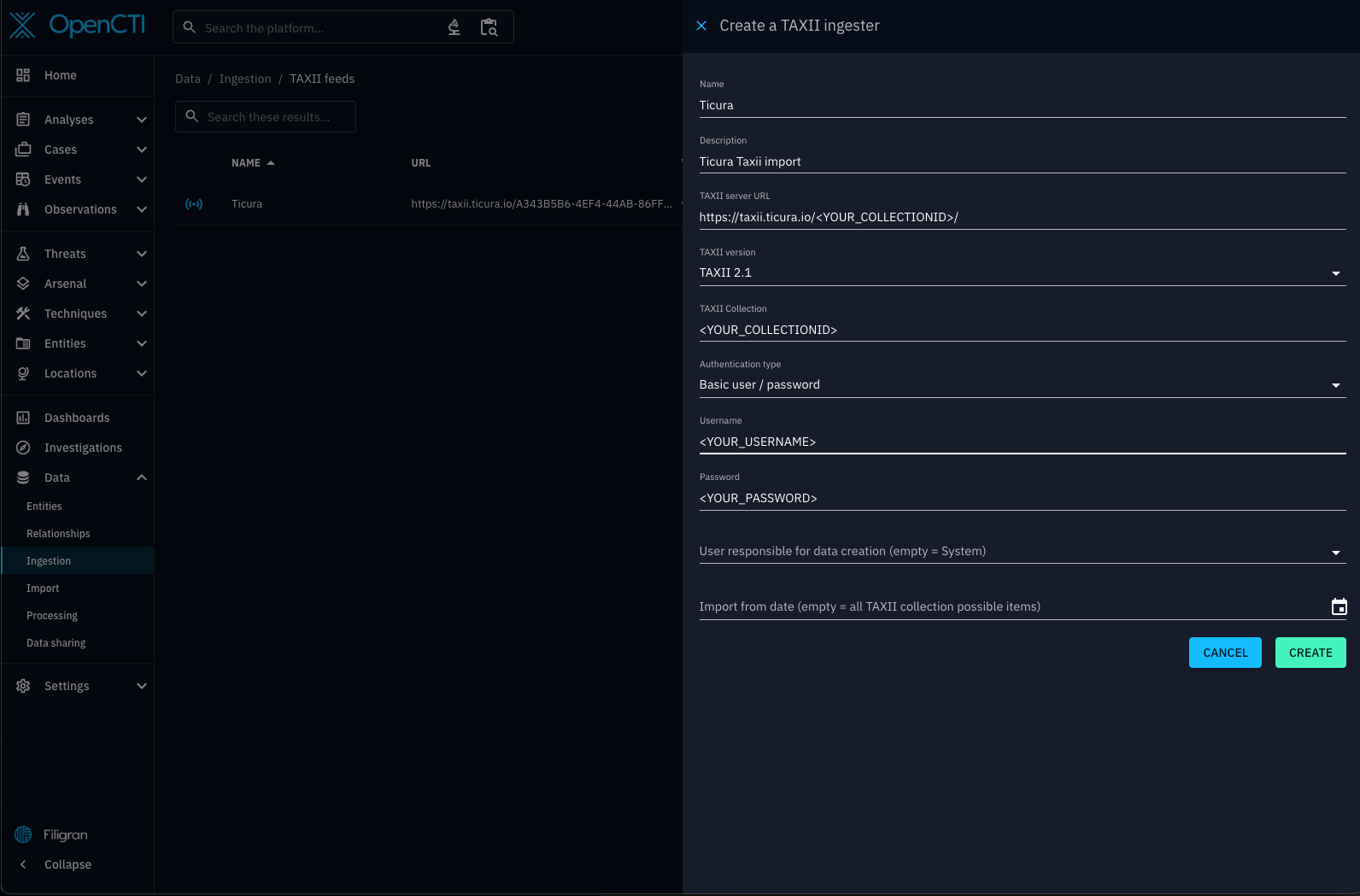
- use the data you got after creating your subscription on the ticura website to replace the placeholders in the screenshot.
Note:
- Its mandatory to use the API Root data from your ticura subscription within the OpenCTI
TAXII server URL - OpenCTI
Import from datespecifies the date of the oldest data to retrieve. It should be chosen based on the Open CTI machine size and the export scope of your subscription. It's strongly recommended to start with a predefined start time instead of importing everything e.g. one week in the past.
Microsoft Sentinel
- if not yet installed: follow this article for adding the Threat Intelligence-TAXII connector to your Microsoft Sentinel
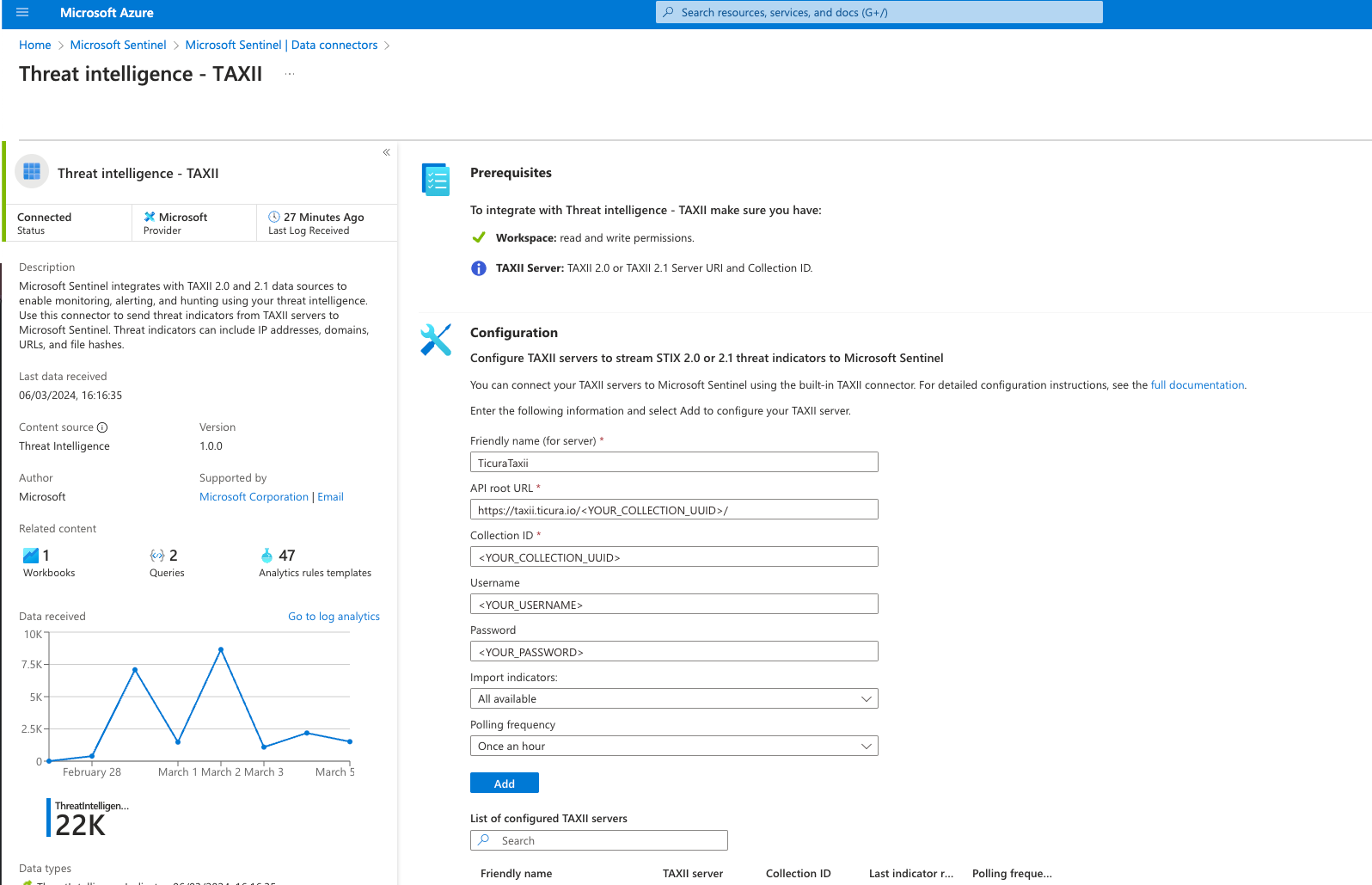
- open the configuration dialog by navigating to Data connectors (left side)
- open Threat intelligence - TAXII (right side)
- click the button "open connector page"
- use the data you got after creating your subscription on the ticura website to replace the placeholders in the screenshot. We recommend Import indicators option fetching All available.
General recommendations
If your product supports a parametrization of TAXII requests we recommend the following query parameters for usual TAXII requests aiming to get the initial/latest data:
- limit: 1000
- don´t specify a specific type